New Laravel Eloquent Project
This tutorial shows how simple it is to start a new project in Skipper. We are going to create Laravel Eloquent ORM project with four entities in two different namespaces. Next part of this tutorial is an export of the created project to Laravel Eloquent migrations and model classes.
Hint: See the ORM Model basics for a detailed description of the ORM elements (e.g. bundle, entity).
New project
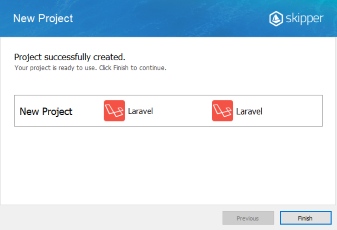
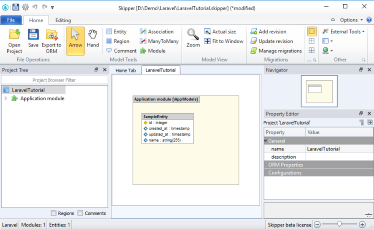
The first step is to create a new project with Laravel Eloquent ORM framework support. Simply select New ORM Project from File menu and follow the next steps.
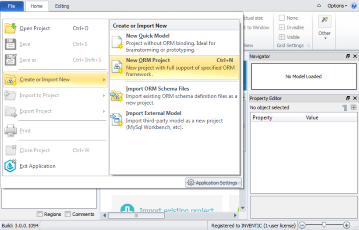
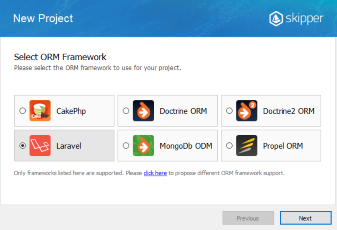
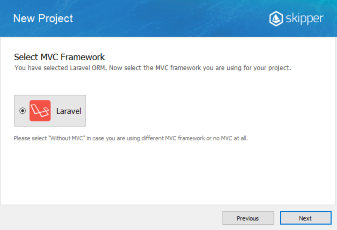
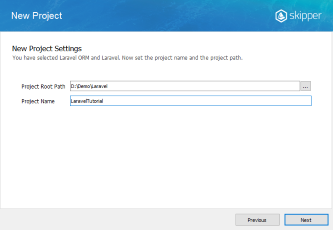
Application model design
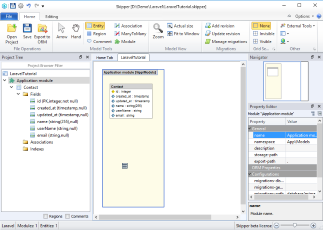
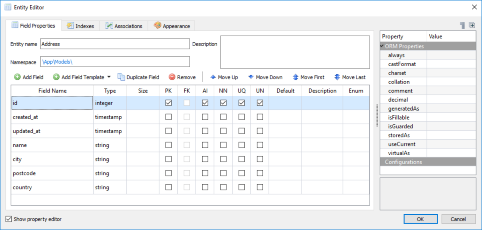
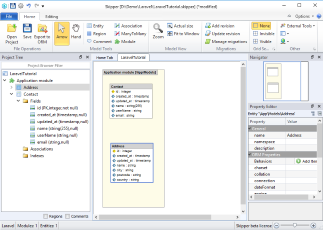
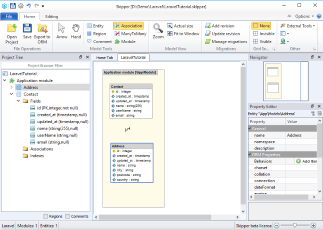
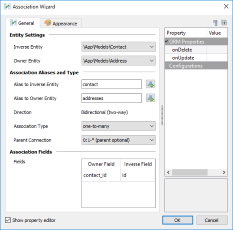
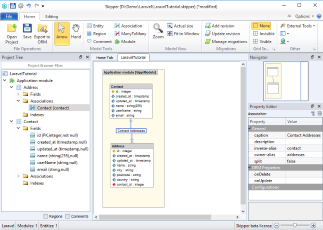
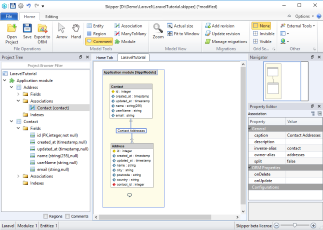
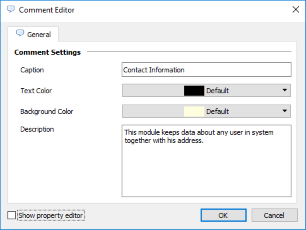
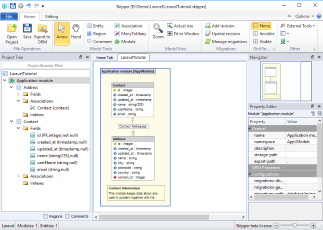
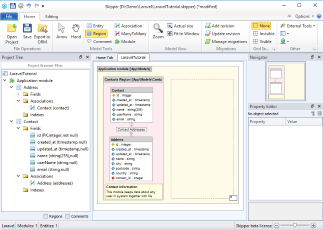
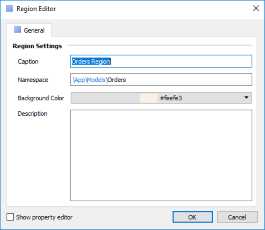
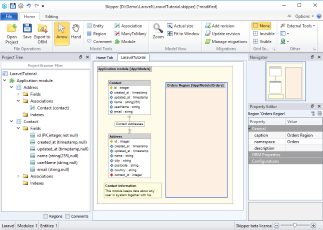
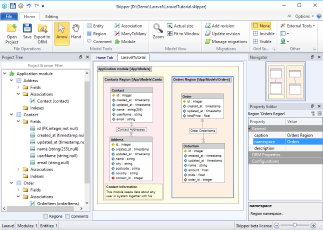
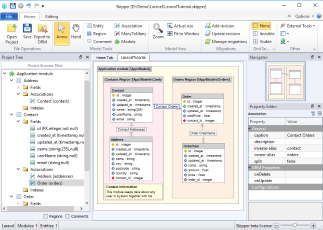
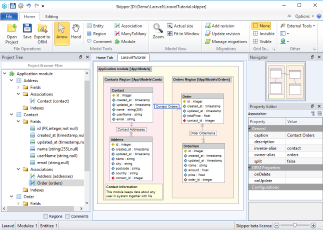
Now we want to design a simple application with one module, two namespaces and four entities. The first namespace serves as contact records, the second namespace as an ecommerce logic. Contact namespace keeps data about customers and their addresses, Ecommerce namespace keeps data about orders and their items. Ecommerce order also has a relation to contact to store order owner. You can do it this way:
Export model
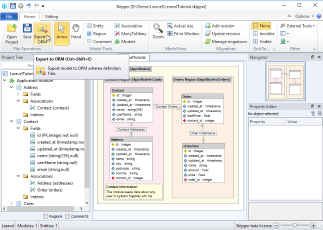
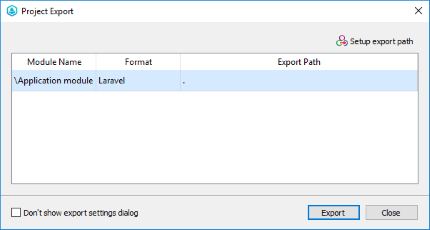
Now when you have created the application model, the next step is to export it to Laravel Eloquent model migrations, model base classes and derived model classes. Model classes are exported in accordance with their namespaces to corresponding directories (based on PSR-4). Migrations are exported to \database\migrations directory which can be changed/configured for each module via ORM Properties.
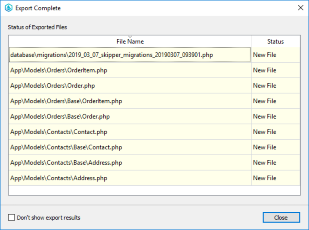
Skipper exports base model object and derived model object for each Laravel Eloquent entity and one migration file for each defined migration in the application. Base model objects and migrations are updated during every export, but derived model objects are exported only once because they serves for defining user logic.
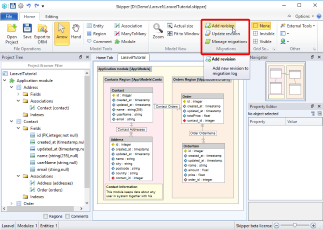
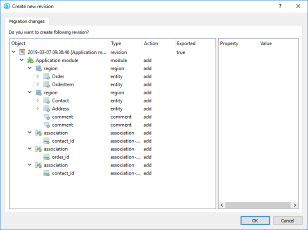
Before the first export we create our initial migration. After that, we export the whole project to a target directory. This means that our project will export four schema base model classes, four derived classes and one migration file.
Tip: Each bundle can have its own export path which is relative to a project root directory.
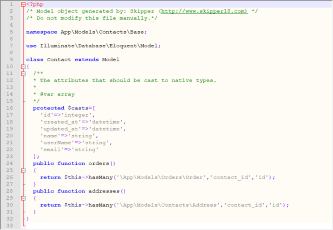
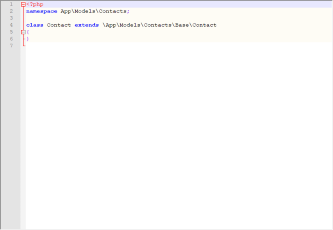
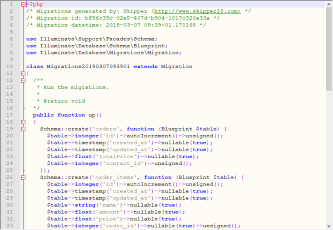
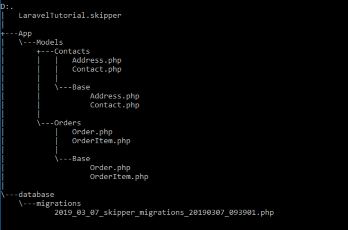
And here is a full example of Contact entity. As you can see everything is well formatted and defined by Laravel Eloquent coding rules.
Base class:
<?php
/* Model object generated by: Skipper (http://www.skipper18.com) */
/* Do not modify this file manually.*/

namespace App\Models\Contacts\Base;

use Illuminate\Database\Eloquent\Model;

class Contact extends Model
{
  /**
  * The attributes that should be cast to native types.
  *
  * @var array
  */
  protected $casts=[
    'id'=>'integer',
    'created_at'=>'datetime',
    'updated_at'=>'datetime',
    'name'=>'string',
    'userName'=>'string',
    'email'=>'string'
  ];
  public function orders()
  {
    return $this->hasMany('\App\Models\Orders\Order','contact_id','id');
  }
  public function addresses()
  {
    return $this->hasMany('\App\Models\Contacts\Address','contact_id','id');
  }
}
Derived class:
<?php
namespace App\Models\Contacts;

class Contact extends \App\Models\Contacts\Base\Contact
{
}
Migrations file:
<?php
/* Migrations generated by: Skipper (http://www.skipper18.com) */
/* Migration id: bf56c35c-02e8-407d-b904-1017c320a33a */
/* Migration datetime: 2019-03-07 09:39:01.170168 */

use Illuminate\Support\Facades\Schema;
use Illuminate\Database\Schema\Blueprint;
use Illuminate\Database\Migrations\Migration;

class Migrations20190307093901 extends Migration
{
  /**
   * Run the migrations.
   *
   * @return void
  */
  public function up()
  {
    Schema::create('orders', function (Blueprint $table) {
      $table->integer('id')->autoIncrement()->unsigned();
      $table->timestamp('created_at')->nullable(true);
      $table->timestamp('updated_at')->nullable(true);
      $table->float('totalPrice')->nullable(true);
      $table->integer('contact_id')->unsigned();
    });
    Schema::create('order_items', function (Blueprint $table) {
      $table->integer('id')->autoIncrement()->unsigned();
      $table->timestamp('created_at')->nullable(true);
      $table->timestamp('updated_at')->nullable(true);
      $table->string('name')->nullable(true);
      $table->float('amount')->nullable(true);
      $table->float('price')->nullable(true);
      $table->integer('order_id')->nullable(true)->unsigned();
    });
    Schema::create('contacts', function (Blueprint $table) {
      $table->integer('id')->autoIncrement()->unsigned();
      $table->timestamp('created_at')->nullable(true);
      $table->timestamp('updated_at')->nullable(true);
      $table->string('name',255)->nullable(true);
      $table->string('userName')->nullable(true);
      $table->string('email')->nullable(true);
    });
    Schema::create('addresses', function (Blueprint $table) {
      $table->integer('id')->autoIncrement()->unsigned();
      $table->timestamp('created_at')->nullable(true);
      $table->timestamp('updated_at')->nullable(true);
      $table->string('name')->nullable(true);
      $table->string('city')->nullable(true);
      $table->string('postcode')->nullable(true);
      $table->string('country')->nullable(true);
      $table->integer('contact_id')->unsigned();
    });
    Schema::table('orders', function (Blueprint $table) {
      $table->foreign('contact_id')->references('id')->on('contacts');
    });
    Schema::table('order_items', function (Blueprint $table) {
      $table->foreign('order_id')->references('id')->on('orders');
    });
    Schema::table('addresses', function (Blueprint $table) {
      $table->foreign('contact_id')->references('id')->on('contacts');
    });
  }
  /**
   * Reverse the migrations.
   *
   * @return void
  */
  public function down()
  {
    Schema::table('addresses', function (Blueprint $table) {
      $table->dropForeign(['contact_id']);
    });
    Schema::table('order_items', function (Blueprint $table) {
      $table->dropForeign(['order_id']);
    });
    Schema::table('orders', function (Blueprint $table) {
      $table->dropForeign(['contact_id']);
    });
    Schema::dropIfExists('addresses');
    Schema::dropIfExists('contacts');
    Schema::dropIfExists('order_items');
    Schema::dropIfExists('orders');
  }
}
Next time you will need to make further changes or adjust the model, just open Skipper file and edit your project entities. Then again export the project to ORM.
Conclusion
This short tutorial shows that to create new project and export it to schema definition files takes no more than five minutes in Skipper (for the first try it may take a little longer). Compared with manual writing of such a small project, the acceleration of work is breathtaking. And in addition, you can concentrate only on the creative part of your work, not a syntax.